Step 1
Capture the receipt
Photograph or scan the receipt as soon as you buy something that may need to go back.
Never miss a return window again.
Scan a receipt, confirm the return deadline, and keep every returnable purchase visible until it is handled.
ReturnO’Clock is built for people who buy things, mean to return them, and then find the receipt after the deadline. It keeps return windows front and center without turning your shopping into an expense-tracking project.
Capture the useful details, confirm what matters, and keep your return deadline tracker focused on purchases that still need attention.
Step 1
Photograph or scan the receipt as soon as you buy something that may need to go back.
Step 2
Review the parsed store, date, items, amount, and return-by date before anything is saved.
Step 3
ReturnO’Clock keeps returnable purchases sorted by urgency and can remind you locally before windows close.
ReturnO’Clock includes a 7-day free trial. After the trial, an auto-renewing subscription is required for new receipt capture and active return reminders. Existing local records remain viewable, editable, exportable, and deletable.
Subscriptions are managed through your Apple Account / App Store account settings. Apple's standard EULA applies unless a custom EULA is provided in App Store Connect.
ReturnO’Clock keeps the workflow deliberately narrow: scan the receipt, confirm the return details, then keep the deadline in a place you can check quickly.
Preview images show demo receipt data for product illustration.
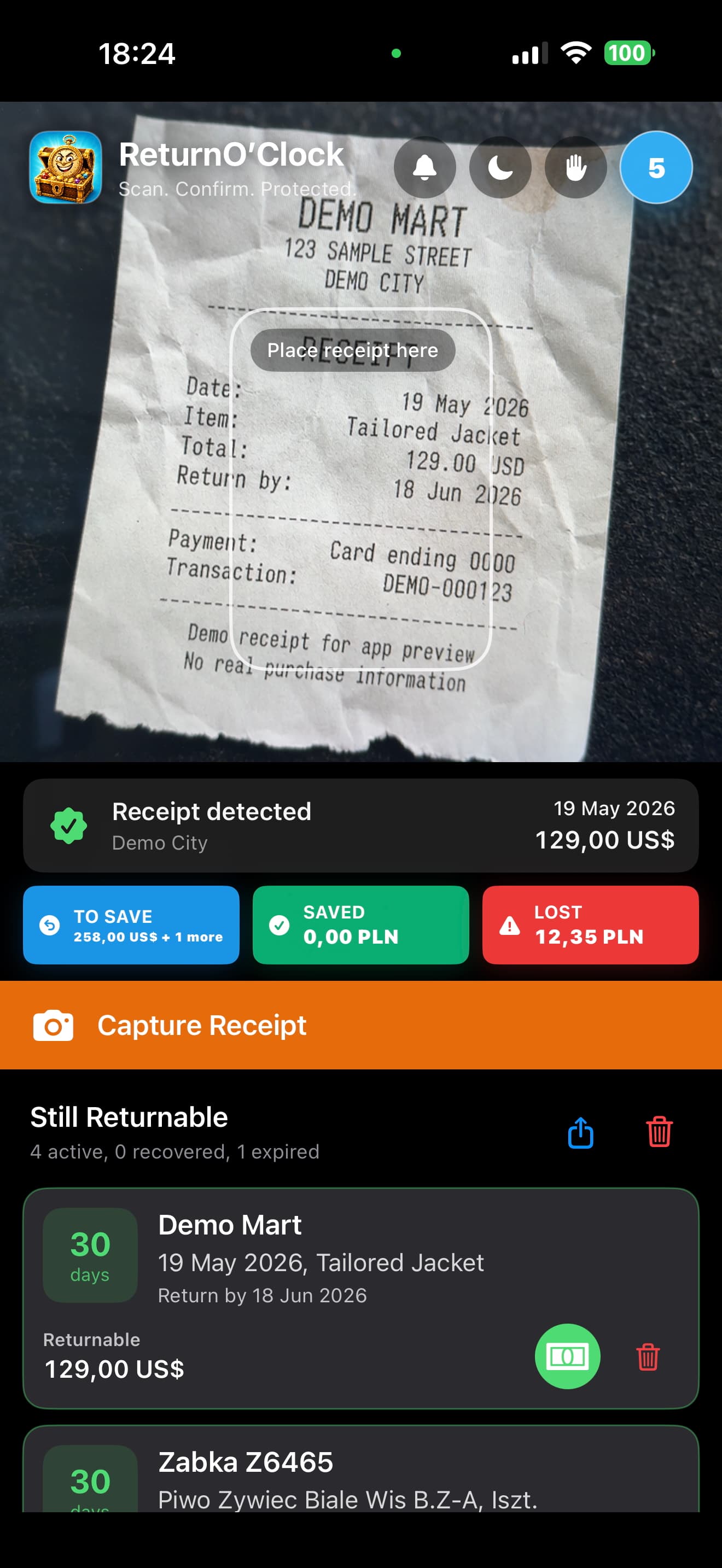
Scan and confirm
Capture a receipt, check the detected details, and save the return window while it is still fresh.
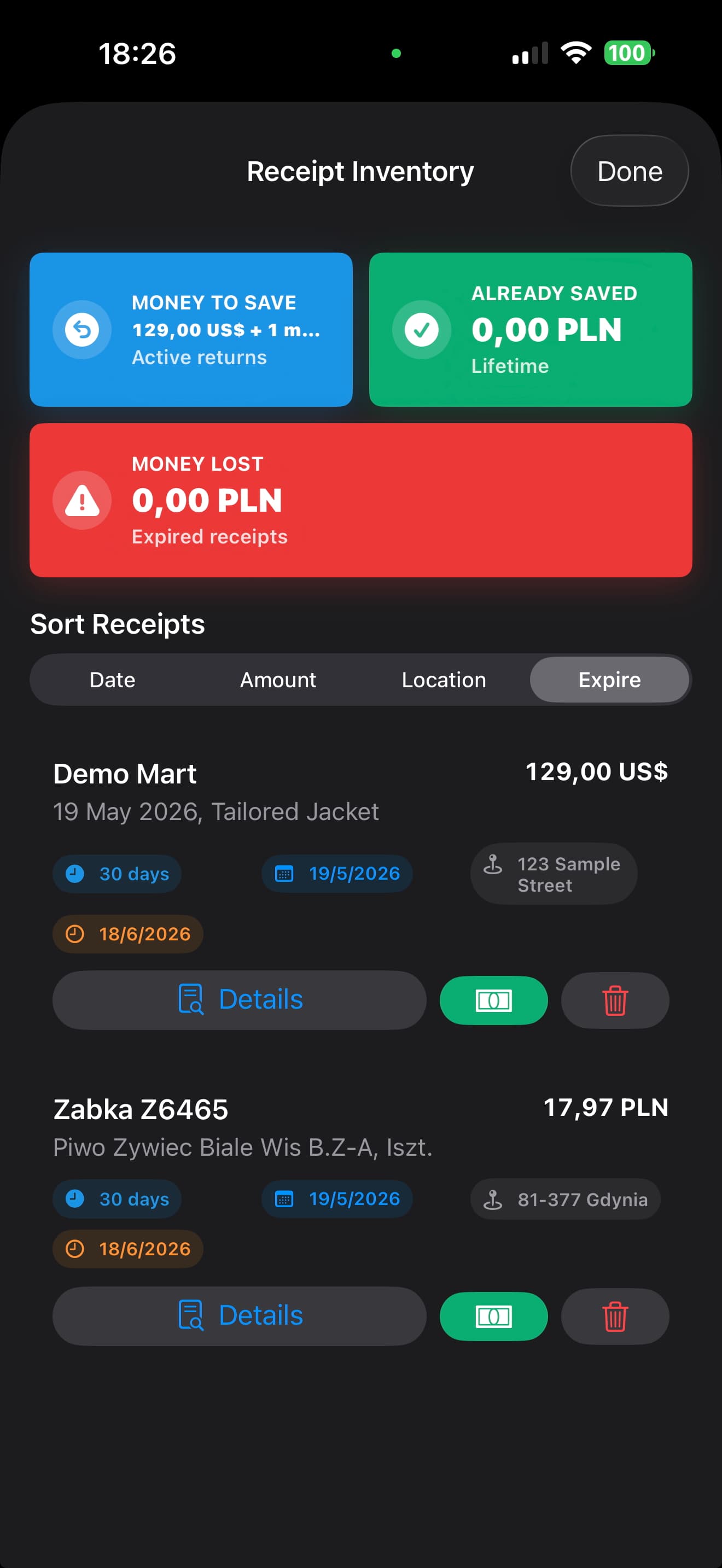
Track what is still returnable
Keep active return windows visible with simple summaries and sorting by date, amount, location, or expiry.
ReturnO’Clock includes a 7-day free trial. After the trial, continued capture and active reminder features require a subscription.
ReturnO’Clock is designed around local-first receipt storage and on-device text recognition.
Yes, receipts can be deleted individually, or all local receipt data can be wiped.
No. ReturnO’Clock focuses on return windows, reminders, and receipt access.
Yes. Subscriptions are managed through the App Store using your Apple Account, formerly Apple ID.
ReturnO’Clock is available on the App Store for iPhone users who want receipt return reminders without a cloud-first finance workflow.